Beta
This is a new feature and we can’t wait to hear your feedback. Just let us know. Use with caution: beta features may contain some bugs and rough edges. To test the feature, start a free trial or update to the latest XLTools version.
GPT.Summarize - Summarize text into concise formats in Excel.
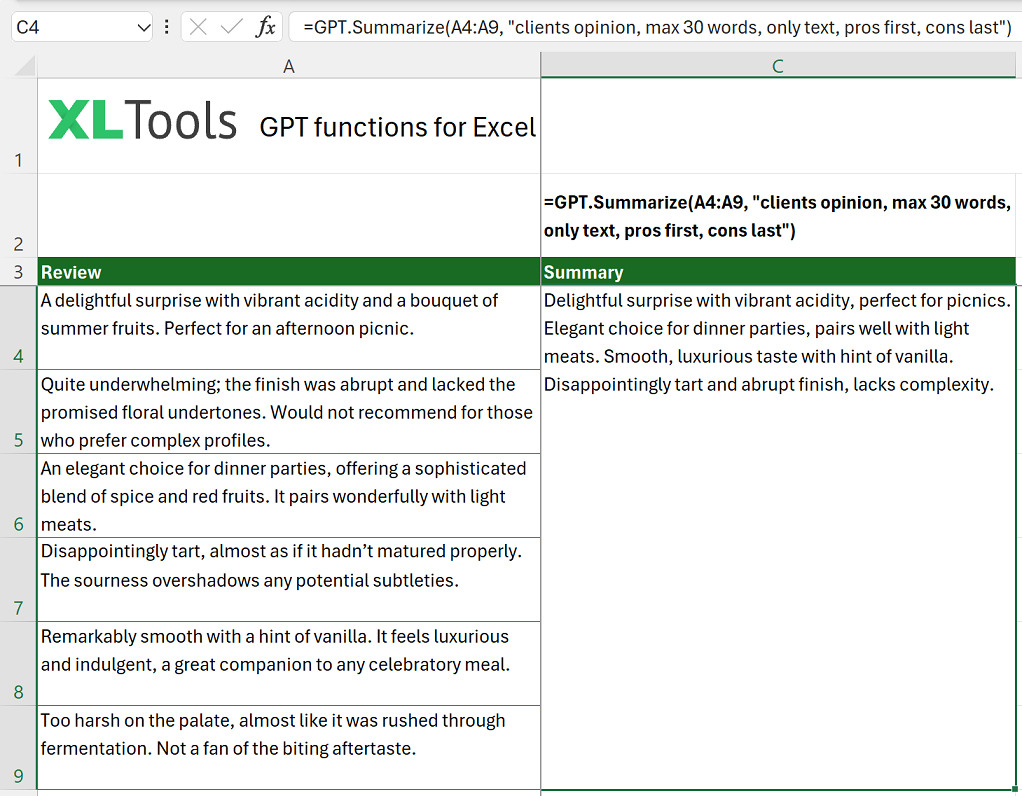
GPT.Summarize is an AI function that summarizes the provided text according to a specified format or length.
Syntax
| Argument | Description |
|---|---|
| text [required] | Text to summarize. Cannot be empty. |
| format [optional] | Specifies the format or length of the summary (e.g., "three sentences", "100 words"). |
Before you begin, add Functions to Excel
Functions are one of the 20+ features within XLTools Add-in for Excel. Works in Excel 2024, 2019, 2016, 2013, 2010, and Microsoft 365.


Examples [download]
Download this spreadsheet with examples and try the function yourself.
| Formula | Description | Result |
|---|---|---|
=GPT.Summarize("Long article text here", "three sentences") | Summarizes the article into three sentences. | "Summary in three sentences appears here." |
=GPT.Summarize("In-depth analysis of market trends", "100 words") | Summarizes the analysis in 100 words. | "Summary in 100 words appears here." |
=GPT.Summarize("Project report", "one paragraph") | Summarizes the report into one paragraph. | "One paragraph summary appears here." |
Any questions or suggestions?

